Retiring a paper process at the point of work
Every day, the roses that cannot be internationally exported are logged with a cause. That log was handwritten, then retyped into a system with no mobile version. The lead engineer and I agreed on a two-week development: direct phone and tablet entry at the point of work. It has run in production on two farms since March 2026.
- Role
- Product designer
- Timeline
- March 2026
- Team
- Lead engineer
- Audience
- Post-harvest annotators and supervisors
- Tools
- Whiteboard, Figma
Impact
- 30–40 min a day recovered for the post-harvest supervisor
- 2 farms in production since March 2026
- 2 weeks from spotting the problem to a field-tested build
- 4 steps to log a non-exportable count
01 Paper, then retyping
Every rose harvested goes through grading at the post-harvest house. Classifiers inspect each stem, and the ones that cannot be exported are logged with a cause: a fungus, a pest, a malformation or damage in transit. The industry broadly works with four categories and more than twenty causes. It is a fast, busy space, and people work with gloves on.
Double work
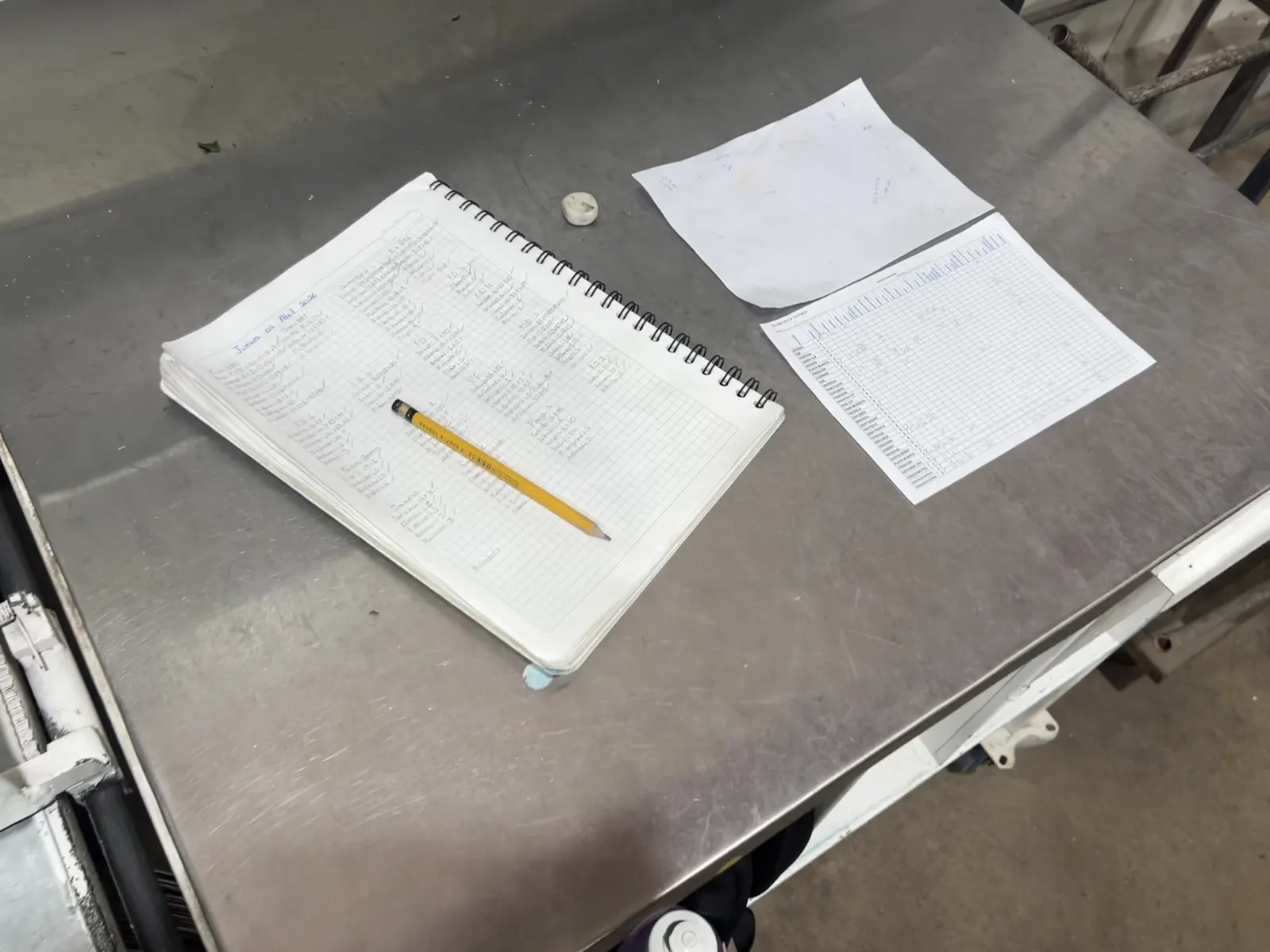
While doing field research for a different project, I noticed a worker holding a sheet covered in handwritten rows, and asked to be shown the process. Workers logged their counts on paper. Then the post-harvest supervisor retyped every entry into a system with no friendly interface and no mobile or tablet version. I observed part of the process and asked how long the retyping took: the problem was real, and it did not need a large product to fix it.
02 A two-week development
With the lead engineer, I proposed replacing the paper step with direct entry at the point of work, built in two weeks and tested with the people who would use it. Four people tested it in the field and kept using it, and the farm administrators agreed to roll it out.
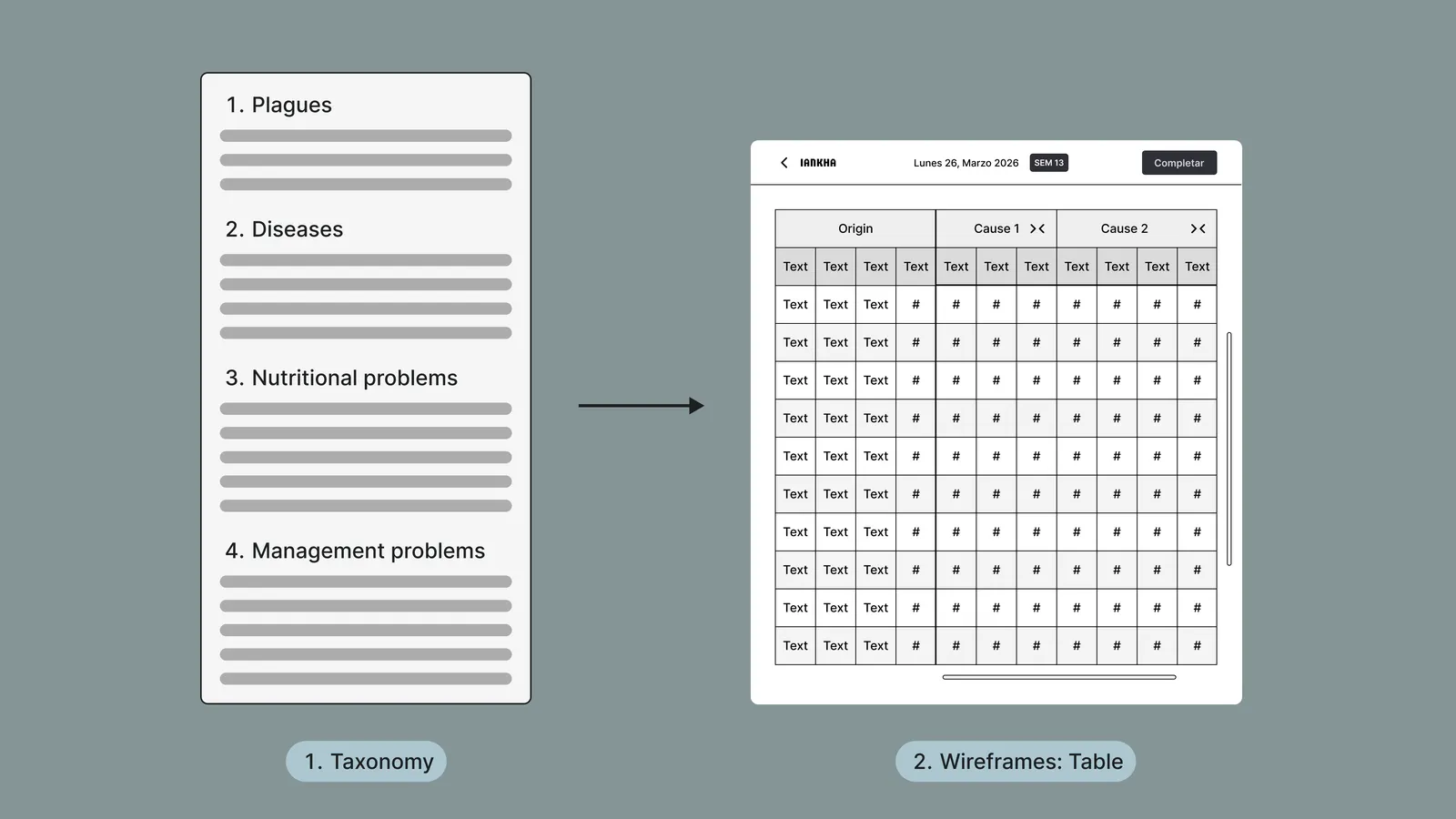
Starting from the categories
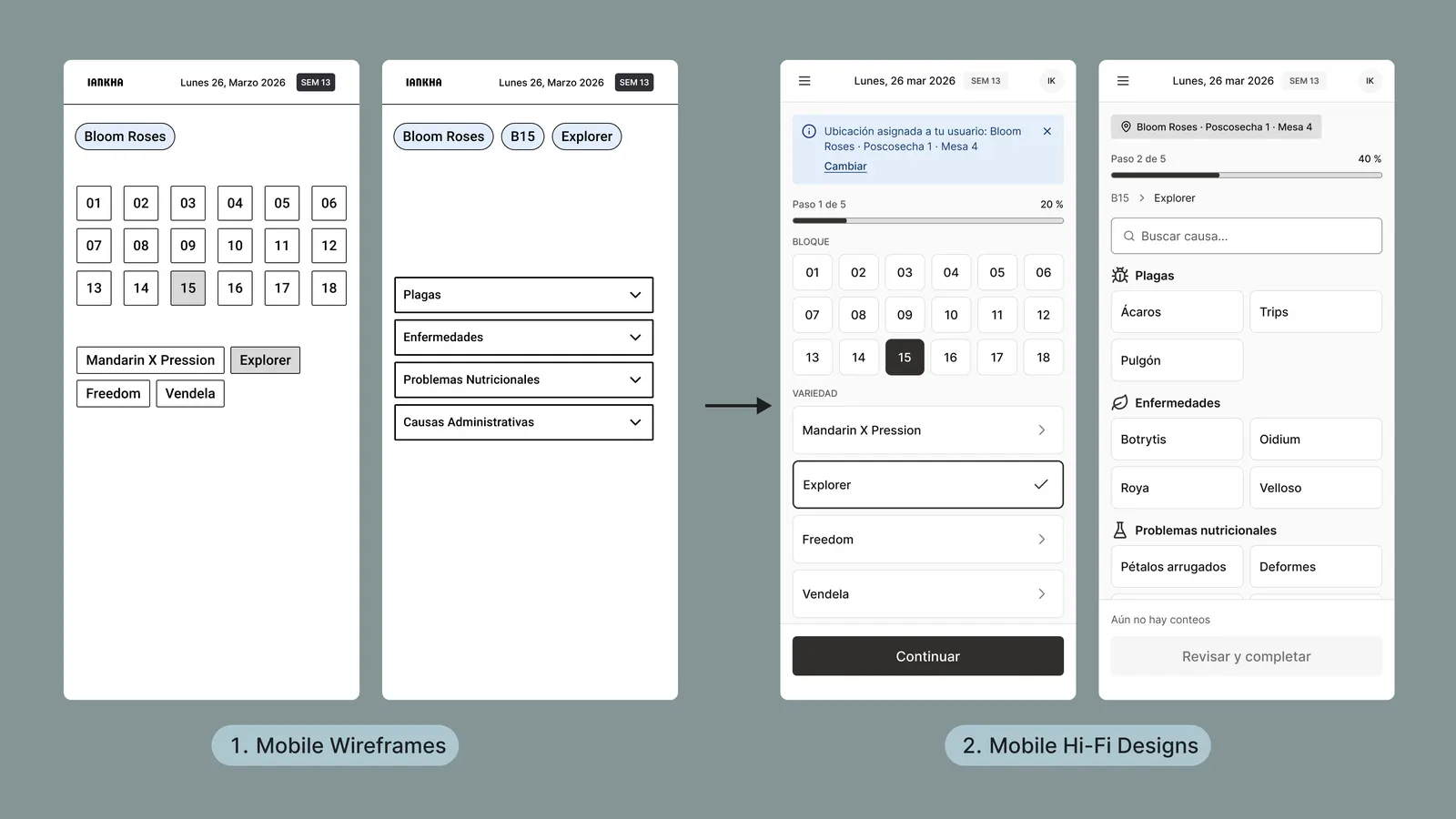
Over video calls, phone calls and emails, I worked with the farm’s administrative team to pin down what makes a rose non-exportable and how the paper process already organized that decision. I started from the table the data had to fill, then worked back to a four-step flow: select the greenhouse, the variety, the cause (grouped by category), and the number of stems.
Built for gloves and speed
The question I designed around: what is the fastest and most accurate way to register non-exportable roses? That meant large targets that work with gloves on, strong contrast, and one decision per screen. I owned the research, the taxonomy, the flows and the UI, and went from a whiteboard session to Figma wireframes to development in days. Engineering added offline support for the warehouse connection, roles for workers, supervisors and administrators, and a back office with Excel import and export.
What comes next
The high-fidelity designs, built on the iankha design system, are the second phase and are not in production yet. They keep a similar four-step structure, refine it visually, and will ship as part of the Enterprise system.
03 Results and reflection
The paper-to-system step is gone. Workers log grading decisions on a phone or tablet where they work, and the post-harvest supervisor no longer spends 30 to 40 minutes a day retyping logs – their estimate, confirmed by the farm’s administrative team. The app has run in production on two farms since March 2026.
The time saved is the measurable result. Transcription errors are down too, because nothing is copied by hand. The clearer signal is what workers asked for next: an overhaul of the resource-planning system they use for everything else.
Once they used a tool built around how they work, they wanted the rest to work that way too.
“The program is working well and everyone is satisfied. They are asking when the Enterprise system [iankha’s broader farm platform] is going to be ready.”